
Resource planning for project teams
See who is free, who is overbooked, and what everyone is working on.
Allocky puts your people, projects and leave on one schedule. You see conflicts the week you create them, not the week someone burns out.
No card needed for the trial.
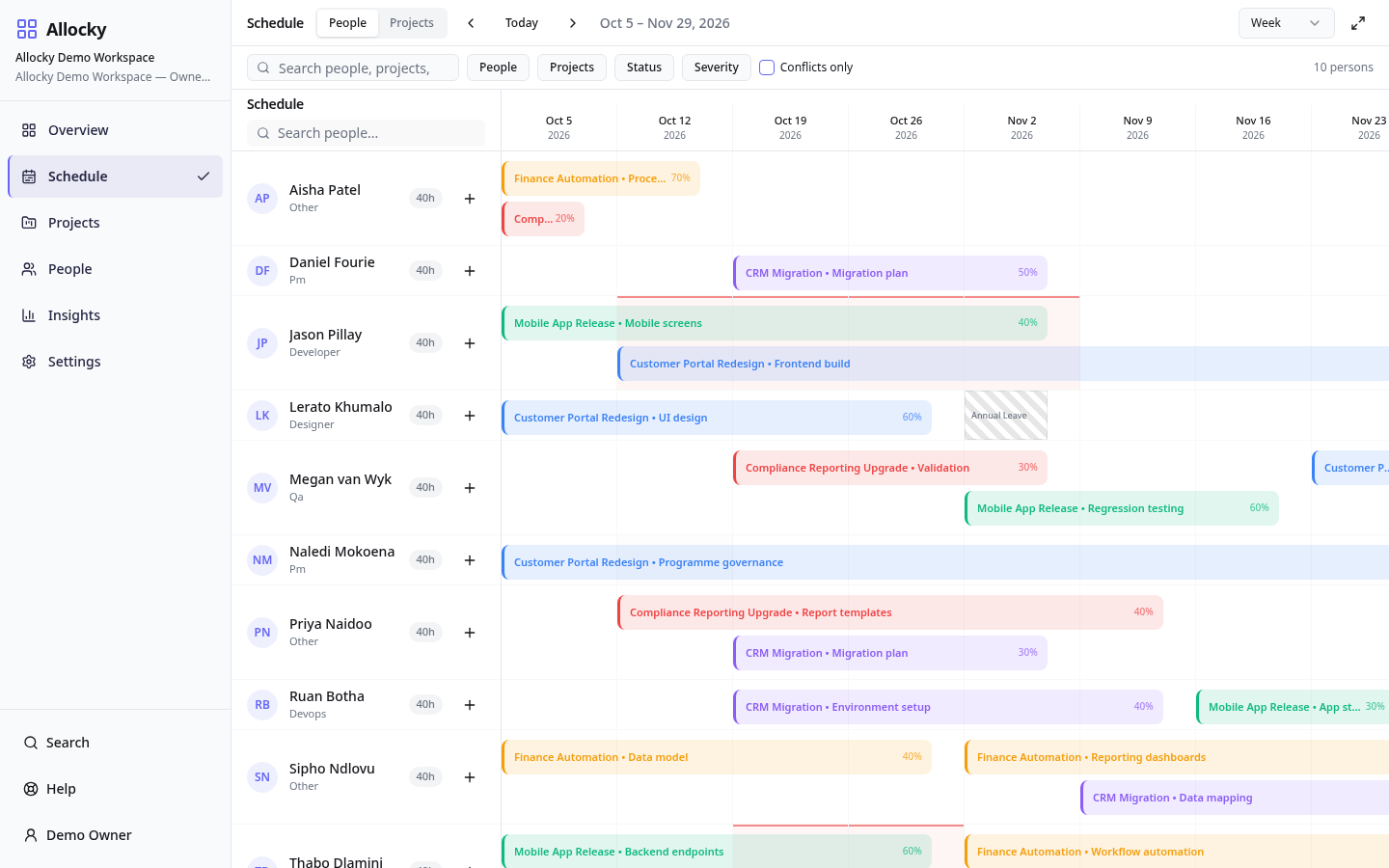
The spreadsheet says everyone is fine. The team says otherwise.
Most teams plan capacity in a shared sheet, a calendar and someone's memory. It works until two project leads book the same designer for the same week, or a developer's leave isn't on anyone's plan.
Allocky replaces that with one schedule everyone reads from. Allocations, leave, public holidays and working days are counted together, so utilisation reflects the hours people actually have.
Schedule people without double-booking them
Drag allocations onto a weekly timeline, stretch them to change dates, and Allocky flags anyone booked beyond their capacity.
- Conflict list showing every overallocated person and week
- Leave, public holidays and non-working days reduce available hours
- Mandatory breaks between assignments where your workspace needs them
Know where capacity exists before you commit to work
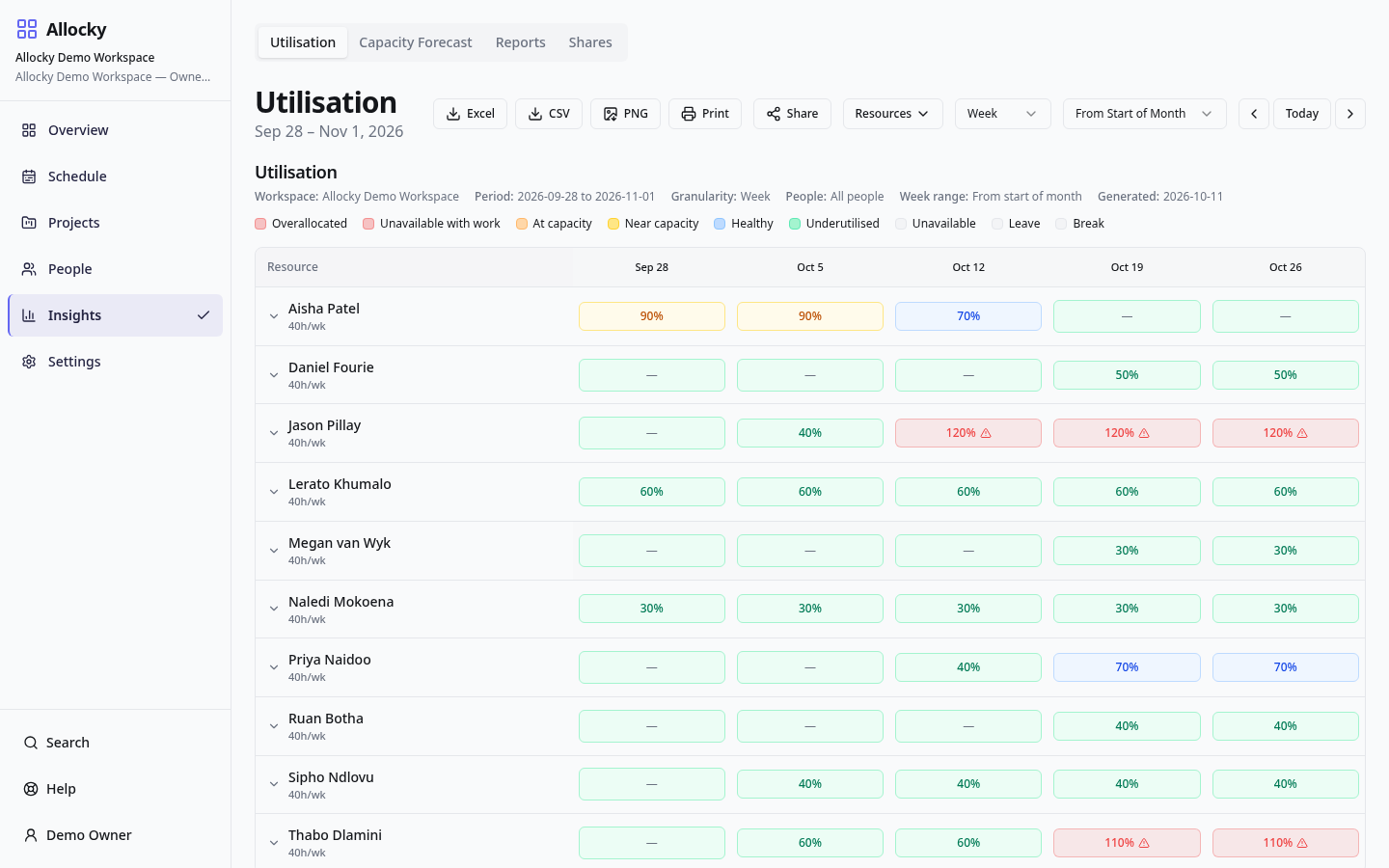
The utilisation heatmap shows each person's load week by week. The forecast shows how much free capacity the team has over the coming months.
- Week-by-week utilisation per person
- Capacity forecast across the team
- Under-utilised and over-allocated people visible at a glance
Projects and tasks on the same plan
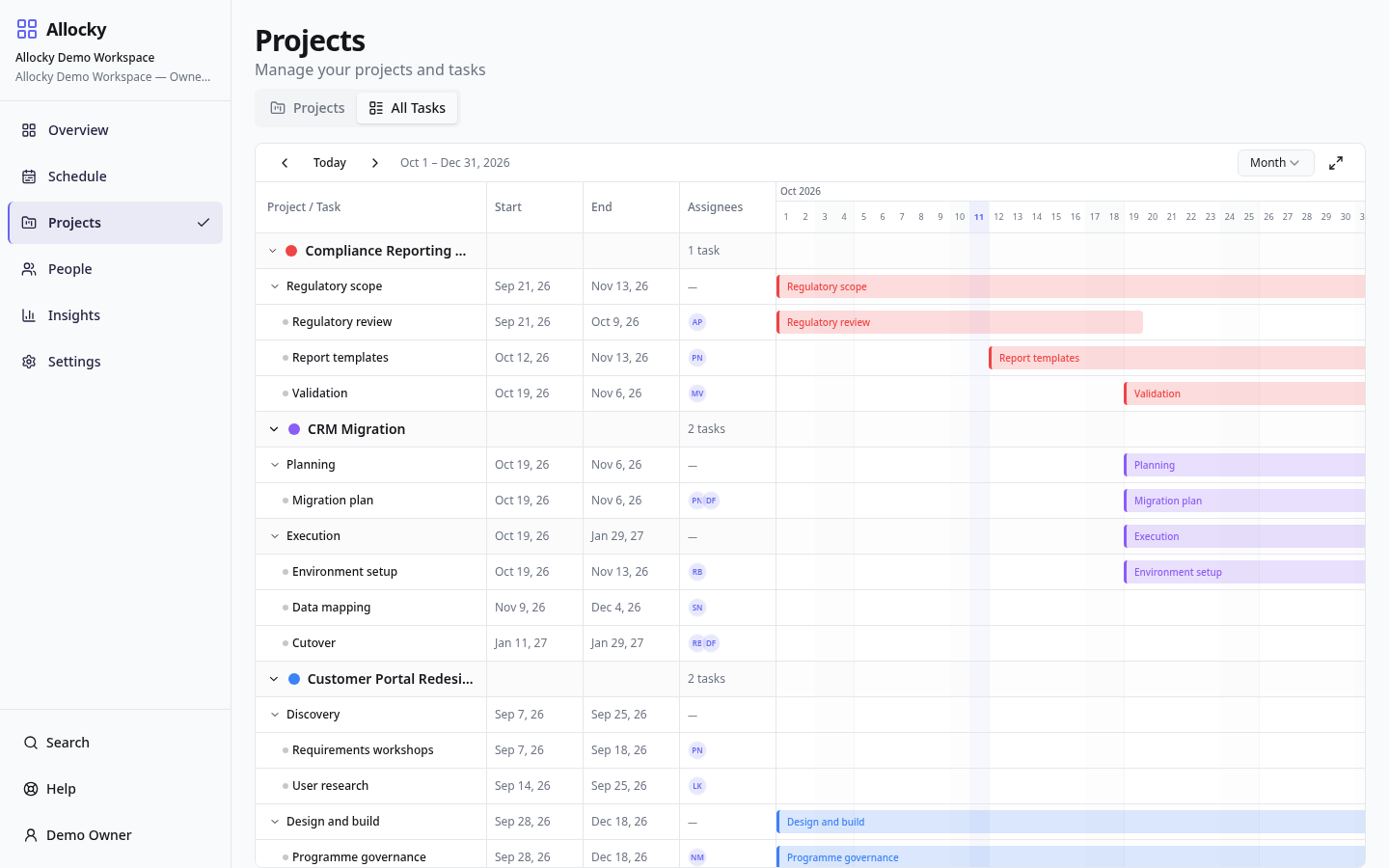
Break projects into tasks, assign them to people and see the whole programme on a Gantt view. Allocations follow the work.
- All Tasks list and Gantt view with week, month and quarter zoom
- Task dates and owners linked to allocations
- Archive finished projects without losing history
Share utilisation visibility without giving someone access to the workspace
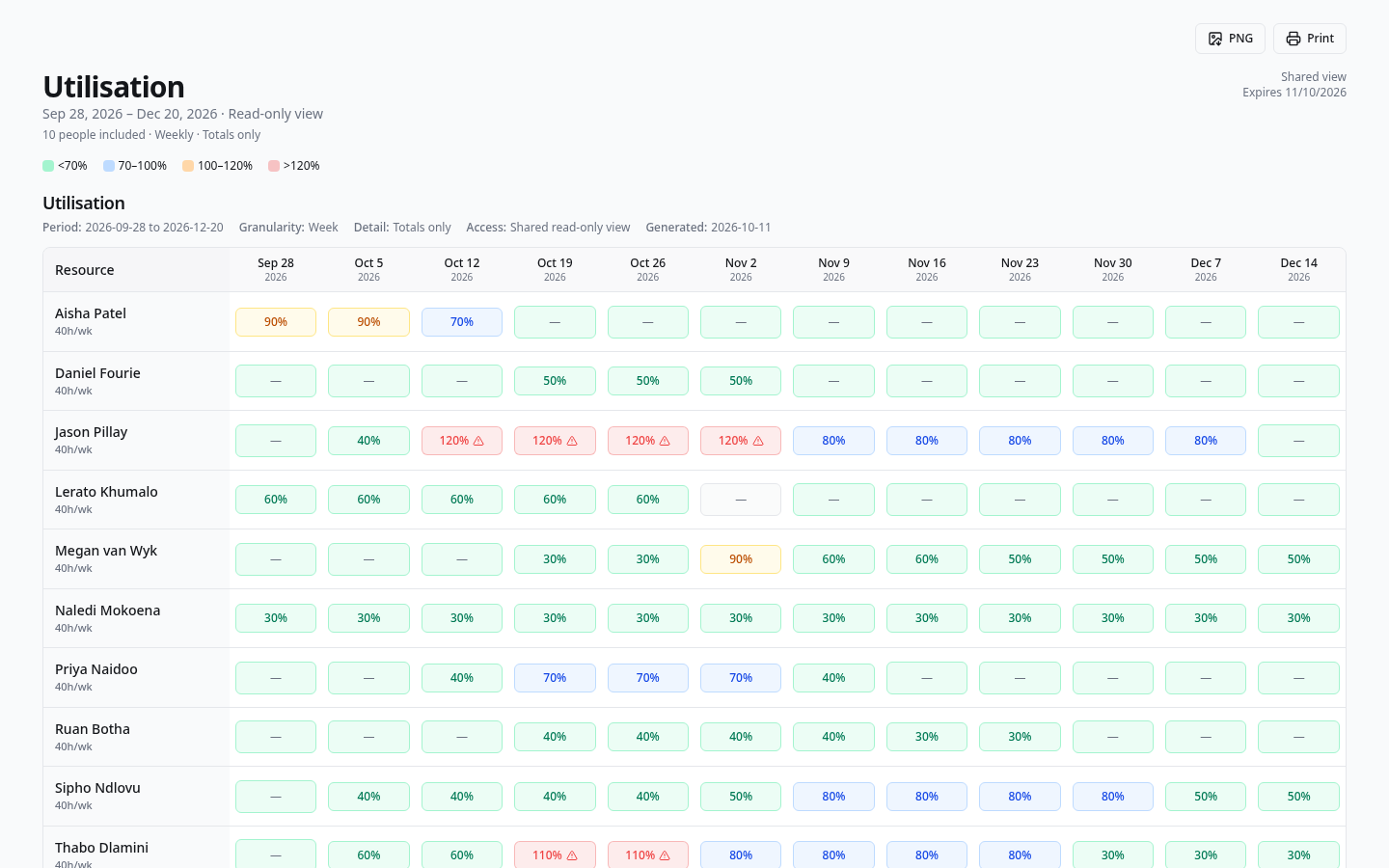
Give a client or stakeholder a read-only utilisation link limited to the people and dates you choose. They see the numbers without a workspace account, and you can revoke the link at any time. Reports also export to CSV and print.
- CSV and print-friendly exports
- Scope-limited, revocable share links
- Viewers can read plans without editing them
Built for teams that sell or deliver people's time
- Agencies and studios
- Balance client work across designers, writers and developers.
- Consultancies
- See who can take the next engagement and when.
- Engineering teams
- Plan sprints and projects against real availability.
- Delivery and PMO teams
- One view of every project's demand on shared people.
How your data is handled
- Each workspace is kept separate. People only see workspaces they have been invited to.
- Roles decide who can edit and who can only view.
- Share links show only the scope you selected and stop working when you revoke them.
- Card payment details are entered through PayFast's hosted payment experience and are not stored by Allocky.
- Read the Privacy Policy for the detail.
Common questions
- Do I need a card to try Allocky?
- No. Every new workspace can start a 30-day Pro trial without a payment card.
- What happens when the trial ends?
- If you haven't chosen a paid plan, the workspace moves to Free. Your data stays; you just work within the Free limits.
- What is the difference between an editor and a viewer?
- Editors can change schedules, projects and people. Viewers can see plans and reports but can't change them. Plans limit editors, not viewers.
- Does Allocky renew automatically?
- No. Paid plans are renewed manually at the end of each quarter or year, so nothing is charged without you choosing to pay.
- Can I cancel?
- Yes. Cancellation takes effect at the end of the period you have already paid for.